Organize PDF
Sort, add, and delete PDF pages with precision. Drag and drop page thumbnails to reorder them in our PDF organizer.
Select PDF files

or drop PDF here
Consolidate all pages from your PDFs into a single, organized document. Our PDF organizer makes page sorting effortless-free, watermark-free, and with no limits.
-
Easily organize pages in PDF files.
-
No installation required; free to use while you build your PDF Skills.
-
Easily drag and drop PDF pages to streamline your PDF workflow and enhance your PDF Skills.
Leading Online Tool for Mastering PDF Page Organization
Powered by PDF Skills, our page organizer enables precise sorting, insertion, and deletion of pages. Upload your file, drag and drop to rearrange, and apply professional adjustments with confidence. Expect a consistently well-structured PDF every time.
Flexible Organize PDF
Each uploaded file is color-coded to reinforce page position awareness, reflecting best practices in PDF handling. The output preserves fidelity to your original document with high-quality results that demonstrate PDF Skills in action.
How Does Organize PDF Work?
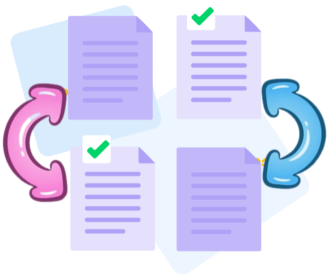
No installation required. Upload your PDFs and drag-and-drop to reorder, insert, or delete pages-advancing professional PDF handling with confidence and precision as part of your PDF Skills workflow.
Organize multiple files at once
Upload multiple PDFs in a single action and orchestrate page sequencing across documents. Sort by page number or blend pages from different files with a simple drag-and-drop, showcasing advanced PDF Skills in practice.

Professional Online Tool for Organizing PDF Pages
Our PDF Organization tool enables you to upload and arrange multiple PDFs in your exact preferred order, merging them into a single, well-structured document. This approach reflects best practices in PDF handling and demonstrates PDF Skills in action.
Organize your PDFs securely online
All uploads and downloads are protected by TLS encryption and are automatically purged after processing. Your data remains private and secure, upholding professional standards for PDF handling.
Supports Windows, macOS, Linux, and Mobile
PDFSkills runs directly in your browser on any device-Mac, Windows, Linux, or mobile. Reordering PDF pages is effortless wherever you are, reflecting a polished PDF Skills workflow.
Organize PDFs easily
Easily drag and drop to reorder pages, with the ability to add or delete pages at any time. Move entire PDFs up or down to refine sequencing, showcasing precision in PDF workflows.
Organize PDFs Reliably
Leverage PDF Skills without expensive software. PDFSkills is a free online solution with top-tier security, including TLS encryption, to safeguard your information.
Cloud - based processing
All PDF Skills-based organization tasks run in the cloud, preserving your computer’s resources. Access the tool from anywhere with an internet connection.
Frequently Asked Questions
Yes. The Organize PDF tool supports professional PDF skills in an online environment. It is free to use, enabling confident, precise page organization without registration, watermarks, or software installation.
Organize PDF tool empowers you to reorder, delete, rotate, and reassemble pages within a PDF file, enabling precise page structuring that aligns with expert PDF workflows and best practices.
Yes. Your files are protected with secure HTTPS encryption during upload and processing. To uphold privacy and data integrity, uploaded PDFs are automatically purged from our servers after a short retention period, reflecting professional document handling standards for PDF security.

How to Build PDF Skills: Organize Pages in PDFs Online:
A step-by-step guide to applying PDF Skills for organizing pages in PDFs at no cost using our tool:
- Drag and drop your files into the Organize PDF tool to begin refining your PDF Skills.
- Add, remove, or reorder PDF pages to align with your PDF Skills and document needs.
- Reorder pages, adjust orientation as needed, or manage files using the right-hand menu to optimize your PDF workflow.
- Click the Organize button to apply your PDF organization and download the refined PDF.
 Remove pages




This file requires password
Ignore this file

wrong password
{{ message }}