PDF Editor
Add text, shapes, comments, and highlights to PDFs with confidence and precision - a secure, streamlined PDF editing workflow.
Select PDF file

or drop PDF here
PDF workflows are dynamic, not one-dimensional. Our free PDF Editor enables text edits, image inserts, shapes, highlights, and annotations with no account or email required.
-
Drag and drop PDFs to begin processing quickly and with confidence.
-
Cross-platform PDF editor accessible from any web browser and operating system.
-
Edit PDF documents with speed, precision, and unrestricted versatility.
Edit PDFs Online with Confidence and Precision
No costly software required. Our free editor empowers you to adjust PDFs precisely and freely.
Edit Your PDFs Your Way
Enhance PDFs with text, images, shapes, or drawings-customize every element with precision to reflect professional standards.
How Does the PDF Editor Work?
Upload your PDF to begin editing. Add text boxes, annotations, or highlights, then download or share instantly.
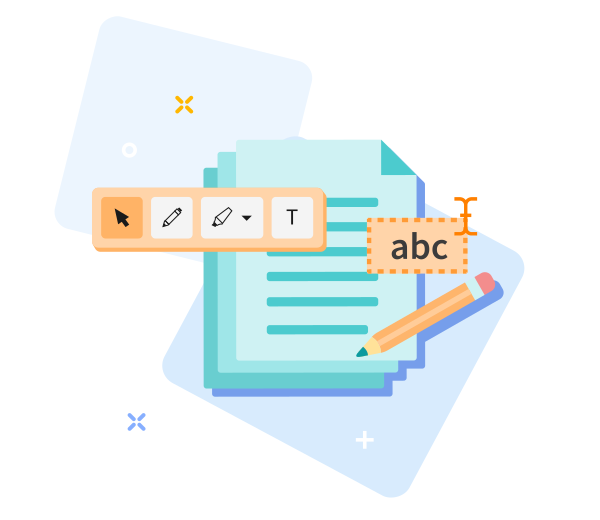
Quick to Save, Easy to Share
Drag and drop your file, edit with precision, save, and share your PDF in seconds.

Edit PDF Online with Precision - Quick & Easy
Begin editing with drag-and-drop to demonstrate core PDF Skills. Leverage advanced tools to refine your document with confidence and precision; click Edit PDF to apply professional changes. Your updated file will be prepared promptly.
Easily Adjust Your Options
Not satisfied with the result? Reselect your options with a single click and iterate anytime to reinforce best practices in PDF handling.
Edit PDFs Anywhere
Our editor supports desktop and mobile platforms, delivering seamless PDF Skills across computers and mobile devices (Android and iOS) with professional performance.
Encrypted File Transfer
Your documents are safeguarded during editing with robust TLS encryption, reflecting our commitment to secure PDF workflows.
Edit PDFs Reliably
Draw shapes, add arrows, and annotate with precision using our tools. We employ strong TLS encryption to keep your files secure at all times.
Work in the Cloud
All edits occur in the cloud, preserving device resources while enabling scalable, location-independent PDF workflow mastery.
Frequently Asked Questions
Yes. This PDF editing capability supports professional PDF Skills and is available free online. You can edit PDFs without registration, watermarks, or software installation. Some advanced editing features may have usage limits.
You can add or modify text, insert images, annotate, and adjust basic layout elements directly in your browser. Engineered for quick, precise edits that support professional PDF workflows.
Yes. Security is foundational to PDF Skills: all files are protected with HTTPS encryption during upload and editing. Uploaded PDFs are automatically removed from our servers after a brief retention window to preserve privacy and data integrity.

Mastering PDF Skills: Edit a PDF Online with Confidence
Step-by-step guide to apply professional PDF edits using our tool:
- Upload your PDF to commence expert edits.
- Refine text, adjust images, and annotate with precision.
- Reposition text and images with precision using drag-and-drop.
- Download the edited PDF file.
 Remove pages